The Best Itinerary Planner Apps Solo Travelers Are Quietly Obsessed With Right Now
Solo travelers are quietly ditching spreadsheets for smarter tools. These top-rated itinerary planner apps streamline daily logistics, offline maps, and booking sync—without the group-tour bloat.
On this page
Solo travelers are abandoning spreadsheets and scribbled notes, and the race to build the best itinerary planner app for them has never been more competitive. The leading tools now bundle real-time transit alerts, budget tracking, and offline maps into one interface, replacing the old patchwork of timestamps and static maps. Hyper-personalization defines the current generation of planning software, with AI recommending solo-friendly hostels and drag-and-drop builders reshaping daily schedules in seconds. This guide is based on hands-on testing of navigation accuracy, social features, and performance when the Wi-Fi drops. The verdict is clear: one tool stands out for saving hours of stress without locking you into a rigid plan.
What Makes an Itinerary Planner App Essential for Solo Travelers
For solo travelers, the margin for error is thin. There is no partner to double-check a train time, no friend to remind you about a museum’s closed day, and no one to share the mental load of logistics. A good itinerary planner app becomes a silent co-pilot, consolidating bookings, maps, and notes into one place so you can focus on the experience rather than the spreadsheet. The best apps for solo trips are those that reduce decision fatigue, work offline in unreliable networks, and adapt quickly when you change your mind mid-afternoon.
The core features that replace paper planning and spreadsheets
The most useful apps do more than list addresses. They integrate live transit data, embed reservation confirmations, and offer offline access to maps and notes. For a solo traveler, this means no more juggling three PDFs, a screenshotted Google Map, and a Notes app entry for a single day. The strongest contenders include automatic timezone detection, currency conversion, and a “nearby” function that surfaces food or sights based on your current GPS position.
A practical checklist for evaluating any app includes:
- Offline mode that caches maps and directions without a premium paywall.
- Sync across phone and laptop, so you can plan on a big screen and execute on mobile.
- A simple import system for booking confirmation emails (not just manual entry).
- No social feed or community feature that adds noise; solo planning should feel private.
Apps that force you into a rigid template fail because solo trips are inherently improvisational. The best ones let you drag a 9 a.m. activity to 2 p.m. without recalculating everything else. They also handle the “what if” scenario: if a train is delayed, the app should let you shift the whole day’s sequence in one gesture, not edit eleven separate entries.
Why day-by-day scheduling with drag-and-drop matters for independent trips
When you travel alone, your energy levels and interests dictate the pace. A fixed, minute-by-minute plan is a liability. Drag-and-drop scheduling gives you the freedom to start slow, linger at a café, and still see the main sights without feeling guilty. It turns planning from a rigid contract into a fluid conversation with your day. This is especially valuable for solo travelers who book hostels or last-minute stays and need to reorganize around check-in times or laundry days.
The tactile benefit is real: dragging a block from “Morning” to “Afternoon” on a phone screen feels more immediate than editing a text field. It also provides a visual overview of your week, showing gaps you can fill with spontaneous exploration. For the best itinerary planner app for solo travelers, this visual flexibility is the core differentiator. You can see at a glance that Tuesday is too packed and Thursday is empty—then rebalance with a swipe. Pricing for full-featured versions typically ranges from €2 to €6 per month or a one-time purchase from €15 to €40, depending on platform and included offline packs. Free tiers usually cap the number of active trips or limit cloud sync, so a paid tier is often worth it for longer journeys. The result is a planning tool that respects your independence rather than constraining it.
How to Choose the Best Itinerary Planner App for Your Solo Trip
The right itinerary planner app for solo travelers isn’t about having the most features—it’s about matching the tool to how you actually move through the world. A rigid, over-engineered app can feel like a second job, while a too-simple one leaves you scrambling for your hostel’s Wi-Fi at 9 p.m. The best choice balances real-time flexibility, offline reliability, and a learning curve you can master before your first coffee of the day.
Matching app complexity to your travel style and tech comfort
Solo travel demands a planner that adapts to your rhythm, not the other way around. If you’re the type who books a hostel for one night and decides the next morning based on a stranger’s tip, look for apps with drag-and-drop timelines and “unscheduled” slots. These let you shuffle a museum visit to Tuesday without re-entering every reservation. On the flip side, if you pre-book trains, tours, and dinner spots weeks ahead, you need an app that handles time-zone changes and overlapping bookings automatically—otherwise you’ll spend your trip manually correcting conflicts.
Your tech comfort matters just as much. A minimalist app with a map-first interface suits visual planners, while a list-based layout works better for those who think in checklists. Most serious options offer a free tier with basic trip creation, but the truly useful features—like real-time transit alerts or collaborative editing (in case you meet a travel buddy)—sit behind a premium subscription, typically ranging from €2 to €8 per month or €20 to €50 per year. Before committing, test the app on a short weekend trip. If you’re constantly fighting the interface to add a simple lunch stop, it’s the wrong fit, regardless of how popular it is.
| App Type | Best For | Key Check | Potential Pitfall |
|---|---|---|---|
| Map-first | Visual planners | Drag-and-drop route editing | Can feel cluttered on small screens |
| List-based | Checklist thinkers | Quick-add features | Less spatial awareness |
| Social hybrid | Meeting other travelers | Public trip sharing | Privacy settings need adjusting |
| Offline-heavy | Remote destinations | Full map and note download | Limited real-time updates |
| Budget-tracking | Cost-conscious soloists | Expense split and logs | Fewer itinerary features |
Evaluating offline access for remote destinations and spotty networks
The solo traveler’s most reliable companion is often an app that works when the network doesn’t. In mountain towns, national parks, or even certain metro systems, a dead zone can turn a well-planned day into a guessing game. Before you download anything, check whether the app stores your full itinerary—including maps, addresses, and notes—on the device itself, not just in the cloud. Some apps only cache a basic list, leaving you without turn-by-turn directions or offline search when you need them most.
Test this at home: switch your phone to airplane mode and open the app. Can you still view your hotel’s address, read your booking confirmation, and see the route to your next stop? If not, you’re looking at a tool that’s only useful in cities with stable signals. A few apps handle this elegantly by letting you download a specific city or region for offline use, while others require you to save each individual map tile manually—a tedious process if you’re hopping between islands. Also, pay attention to how the app handles updates. If you reorder your day while offline, will it sync later without conflicts? For solo travelers, the quiet winner is usually the app that treats offline mode as a core feature, not an afterthought. That reliability is worth a subscription price in the upper range, roughly €30 to €60 per year, especially if you spend more than a few days outside major urban hubs.
Which Itinerary Planner Apps Automatically Import Bookings and Reservations
Manual data entry can make or break a solo trip. The best itinerary apps now eliminate that friction entirely, pulling confirmations straight from your email inbox and turning scattered PDFs into a clean, chronological timeline. This automation is the quiet killer feature separating modern tools from old-school spreadsheets—saving hours before you even board a flight.
The convenience of syncing flights, hotels, and activities without manual entry
The core promise is simple: forward your confirmation emails to a dedicated address, and the app parses the details. Gmail and Outlook integrations go further, scanning your entire inbox for travel-related messages. You get a unified view of your trip—departure gates, hostel check-in times, and that cooking class booked three weeks ago—all sorted by date and time. This matters most when you’re hopping between cities every few days and don’t want to dig through your inbox on shaky train Wi-Fi.
The real utility lies in the granular details. A good importer doesn’t just log the hotel name; it captures the cancellation policy, confirmation number, and exact address for offline maps. For activities, it pulls the time and any meeting point instructions. Here is what to look for when testing the sync feature:
- Whether it handles non-English confirmation emails from local operators.
- If it correctly parses multi-city itineraries with different airlines and time zones.
- How quickly it updates after you forward an email—instant sync versus a batch process.
- If it offers a manual override for bookings that never arrive in your inbox.
What happens when a booking changes mid-trip and how apps handle it
The real test isn’t the initial import—it’s the chaos of a delayed flight or canceled reservation. When an airline sends a change notification, the best apps automatically detect the new times and adjust your schedule, flagging potential conflicts with your next activity. You get a push notification saying your transfer is now too tight, rather than discovering it at the airport. This proactive adjustment is a lifesaver when you’re alone and have no one to help re-plan on the fly.
Not all apps react equally, though. Some merely update the flight time and leave your dinner reservation untouched, silently creating a clash. Others visually warn you about the overlap but require manual rescheduling of each item. A few premium services offer a “recalculate” button that suggests new times for subsequent bookings, but this is rare. The practical tip: check the app’s notification settings before you depart.
If you rely on automatic imports, always keep your phone’s email sync on and allow push notifications for the itinerary app, because a silent update is almost as bad as no update.
For solo travelers, this mid-trip resilience is invaluable. You don’t have a companion to split tasks with, so the tool must do the thinking. The most reliable apps show a clear “changed” badge on the affected item, letting you know exactly what needs attention. The price for these advanced sync and auto-adjust features ranges from free for basic imports to a premium tier costing €3 to €9 per month for real-time conflict detection and unlimited bookings.
Can Solo Travelers Use Collaboration Features for Safety and Feedback
Yes—and the best itinerary planner apps now treat collaboration as a core safety feature, not a social extra. For solo travelers, sharing a live, editable route with someone back home is no longer a nice-to-have. It’s the difference between a vague “I’m in Lisbon” text and a real-time map showing exactly which train you missed and where you’re rerouting. The smartest apps have quietly shifted from static trip folders to dynamic, permission-based sharing that works even on spotty Wi-Fi.
Sharing your live itinerary with family or friends back home
The most useful apps let you generate a shareable link that updates automatically when you change a hotel, add a last-minute day trip, or check into a new neighborhood. This isn’t a PDF you email once and forget. It’s a living document. You control the access level—view-only for your mom, full editing for the friend joining you for three days in Kyoto. Crucially, the good ones show a timestamp of your last activity. Your contact in Denver knows your last confirmed location was a hostel in Barcelona at 9:14 PM local time, not two days ago.
- Look for apps that let you set a “check-in reminder” that pings your chosen contact if you haven’t marked yourself safe by a certain hour.
- Choose apps that work offline for the map view, because solo travel often means dead zones on mountain trails or in metro tunnels.
- Verify that the shared link does not expose your passport number, full payment details, or home address—only your itinerary and location pings.
Some apps go further with a “solo mode” that automatically sends your live location to a trusted contact when you start a walking tour or a night out. This is practical, not paranoid. One traveler I know uses it to signal when she arrives at a new hostel without having to type a single message. The feedback loop is quiet but constant: your family sees you moving, and you see their “ok” reaction. That removes the pressure to narrate every move.
Using shared plans to get local advice before you depart
Collaboration isn’t just for emergency tracking. It’s also a pre-trip research tool. Many solo travelers build a draft itinerary and share it with a local contact, a frequent visitor to the region, or a niche Facebook group. The best apps let these viewers comment directly on a specific day or activity. You can ask “Is this museum worth the 2-hour detour?” and get an answer pinned to that exact slot, not buried in a group chat.
This works best when the app supports inline comments and version history. You can see that a local guide swapped your lunch spot for a market stall that’s only open on Tuesdays. You can revert if you disagree. A practical tip: share the plan at least three weeks before departure, because locals often respond faster to a concrete list than to a vague “any suggestions?” post. The feedback loop tightens your route. It also gives you a written record of why you made each choice—useful when you’re tired at 2 AM and wondering if you actually booked that ferry.
The real value of a shared itinerary is not showing where you are, but proving you had a plan before you left—and that you’re sticking to it or changing it with intent.
The strongest apps combine these two uses into one interface. The same link you send to your mother for safety is the one you send to a local for advice. You just change the permission level. That single feature—flexible sharing with granular control—is why solo travelers stick with apps like Wanderlog or TripIt Pro, which range from free with ads to premium subscriptions from roughly €25 to €60 per year. The price buys you offline maps, real-time sync, and the quiet confidence that someone, somewhere, always knows your next move.
How Real-Time Maps and Navigation Links Improve Daily Routing
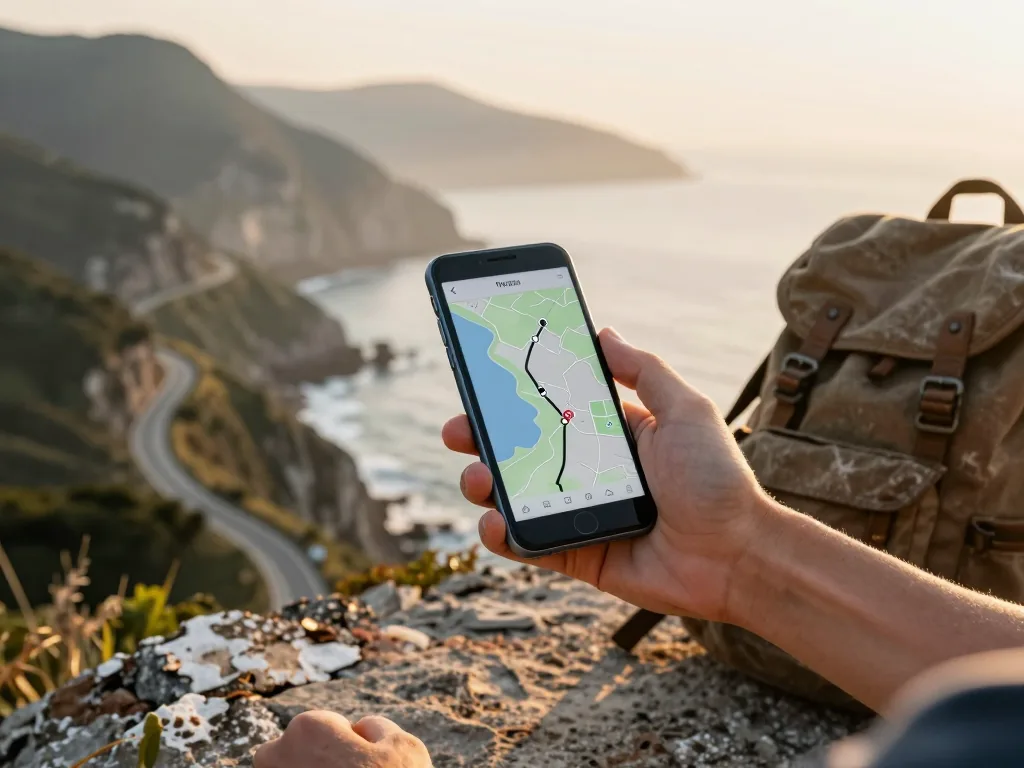
The best itinerary planner app for solo travelers is no longer a static list of times and addresses. It embeds live navigation data directly into the schedule, so a delayed train or a closed street doesn’t derail the entire afternoon. The app becomes a co-pilot, not just a notebook. This shift is quietly changing how independent explorers pace their days.
Moving between stops without switching to a separate mapping app
The old workflow was tedious: check the itinerary, open a maps app, type in the next destination, then return to the plan. The current generation of planner apps eliminates that friction by integrating turn-by-turn directions directly into the route timeline. Tap a scheduled stop, and you see the transit option, estimated walking time, or driving path without leaving the interface. For a solo traveler juggling a backpack and a phone in an unfamiliar station, this saves not just minutes but cognitive bandwidth. You simply follow the prompt. The next activity automatically becomes your new “current” location once you arrive.
This integration also handles real-time disruptions. If a bus is delayed or a walking path is blocked by construction, the app recalibrates the arrival time for your next booking—say, a museum slot or a dinner reservation. You get a quiet notification, not a panic-inducing alert. The table below breaks down what to look for when comparing these routing features across different apps.
| Feature to check | What it does for you | Why it matters alone |
|---|---|---|
| Live transit status | Updates bus/train delays in real time | Prevents missed entry times |
| Offline map cache | Works without mobile data | Essential for remote areas or low signal |
| Walking vs. transit toggle | Shows fastest or cheapest option | Lets you adapt to weather or energy levels |
| Auto reorder on delay | Shifts later stops later | Keeps the day logical, not rigid |
| Voice-guided prompts | Gives spoken directions | Hands-free while carrying luggage |
The real win is the psychological ease. You stop second-guessing whether you’re on the right platform or if that side street is correct. The app’s map view and your schedule are one unified surface. The only decision left is whether to stop for coffee—which is exactly the freedom solo travel is supposed to offer.
The value of map pins and route previews for unfamiliar cities
A static list of addresses means nothing when you’re standing in a plaza with five identical-looking streets. The strongest itinerary planners now let you drop a map pin for every stop, so you see the day as a cluster of points on a map, not just a chronological list. This visual overview changes how you plan. You might notice that your lunch spot is only a five-minute walk from your morning gallery, even though the original schedule had you backtracking across town. Solo travelers, with no one to consult, rely on this spatial logic to make quick, confident adjustments.
Route previews go one step further: they show you the path between pins before you commit. You can see if the route cuts through a sketchy underpass, requires a steep climb, or offers a scenic waterfront detour. This is invaluable for photographers or slow travelers who want to build in spontaneous stops without losing the thread of the day. Rather than following a rigid timeline, you’re working with a flexible geography. The app’s preview becomes a sandbox—move a pin, see the new route, adjust the time estimate, and move on. For a solo traveler, this turns planning from a chore into a quiet, satisfying puzzle. The result is a day that feels less like a checklist and more like a well-paced walk through a city you’re just starting to understand.
Do Itinerary Planners Include Budget Tracking and Currency Conversion
Yes, but the depth of integration varies wildly between apps. For solo travelers, the line between a simple trip organizer and a true financial companion often decides which app stays on their home screen. The most quietly popular itinerary planners now bundle expense logging and live currency conversion directly into the trip timeline. That removes the need to juggle three separate tools in a foreign city. This convergence is the main reason these apps are overtaking spreadsheets and generic note-taking apps.
Logging daily expenses and staying within your travel budget
The best planners treat budget tracking as core, not optional. Log a meal or museum ticket, and the expense is tagged to the specific day and location in your itinerary. You get a real-time view of your daily burn rate against your planned allowance. Unlike standalone budgeting apps that demand manual category setup, these planners often auto-suggest categories based on merchant type or your past entries. That cuts data entry time significantly.
Many solo travelers prefer setting a daily cap at the start of the trip. The app then shows a simple color-coded indicator—green, yellow, or red—next to each day’s plan. This visual cue beats a vague monthly total. Overspend on a guided tour Tuesday, and the app immediately shows that Wednesday’s street food budget needs to shrink. A typical workflow looks like this:
- Enter the cash amount paid for a local transport pass.
- Snap a photo of a receipt for a spontaneous purchase and attach it to the day’s log.
- Review a weekly summary that breaks down spending by category (food, lodging, activities) and flags any day where you exceeded your threshold.
This granular view lets you adjust in real time, not discover a budget crisis at the end of the trip.
How built-in currency tools simplify spending across borders
Currency conversion is where solo travelers feel the most friction, especially in cash-heavy economies or multi-country journeys. Newer planners embed a live currency calculator directly into the expense-logging interface. No separate converter app needed. Type the amount in local currency, and the planner shows the equivalent in your home currency using the current exchange rate. This prevents the mental math errors that happen after a long day of sightseeing.
A key detail is whether the app uses a mid-market rate or a marked-up rate. The best ones use the former—the rate you see on Google Finance, not the inflated rate at airport kiosks. That transparency lets you compare what you actually paid versus what the app calculates. Some apps even let you set a custom “actual rate” if you withdrew cash from an ATM and know your bank’s specific fee. The result is a more accurate picture of true spending, essential for a solo traveler managing a finite pool of money over weeks.
The real value of a currency tool is not just knowing the rate, but knowing what you spent yesterday in your own currency—so you can decide if today’s splurge is sustainable.
For travelers moving between the Eurozone, Southeast Asia, or South America, this integrated approach removes the mental load of tracking multiple rates. The best apps also store historical conversion data, showing how the rate fluctuated during your trip—useful for planning future budgets. This seamless link between itinerary, expenses, and currency is what separates a genuinely useful planner from a digital folder of PDFs and notes.
What Solo-Specific Tips and Community Recommendations Are Embedded in These Apps
The best itinerary planner apps for solo travelers no longer just map out routes. They layer in collective intelligence from people who have actually done the trip alone. That means real-time safety alerts, unfiltered opinions on whether a hostel’s common area is actually social, and niche recommendations that never make it into guidebooks. For the solo traveler, this embedded community knowledge often matters more than the navigation itself.
User-generated content on safety, hidden gems, and solo-friendly spots
The standout apps in this space treat user contributions as a core feature, not an afterthought. Wanderlog, for instance, lets users tag places with notes like “good for solo dinner at the bar” or “staff watches your bag while you use the restroom.” Those details sound trivial until you’re eating alone in an unfamiliar city. Polarsteps goes further. It lets travelers leave geo-tagged comments on specific beaches, viewpoints, and cafés, with a filter for “visited solo” that surfaces spots where other single travelers felt comfortable lingering.
Safety information is often embedded in the language of the reviews themselves. On Sygic Travel, users frequently mention street lighting, the presence of other tourists, and whether a neighborhood felt sketchy after dark. The apps that do this well aggregate these qualitative signals into a simple visual cue—like a “solo-approved” badge or a heatmap of well-trafficked routes. One practical tip keeps surfacing across these platforms: sort reviews by “most recent” rather than “most helpful.” Solo-safety conditions change quickly, and a glowing review from three months ago may not reflect today’s reality.
The most reliable solo-travel advice in these apps often comes from someone who was there last week, not last season.
The hidden-gem factor is also strong. Apps like TripIt Pro sync with community forums where users share free walking tour routes, off-hour museum tips, and lesser-known viewpoints that avoid tourist crowds. For a solo traveler, these are gold. Not just for the experience—but because they’re often safer, quieter, and easier to navigate without a companion.
How community insights complement your own research without replacing it
The key distinction is that these apps don’t substitute for your own planning. They refine it. A typical workflow: you research flights, accommodation, and must-see landmarks on your own, then cross-reference that shortlist against community data in the app. This prevents the echo-chamber effect of algorithm-driven recommendations and gives you a ground-truth check. For example, you might find a highly-rated restaurant in a guidebook. A quick scan of the app’s community notes might reveal that it’s always a 45-minute wait for solo diners, or that the staff are notably less attentive to single customers.
- Use the app’s “save to trip” feature to bookmark community-tagged spots, then review them offline before you go.
- Cross-check any solo-specific tip against two other sources—a recent blog post and the venue’s own social media—to confirm it’s still accurate.
- If an app shows a “solo-friendly” flag, treat it as a signal, not a guarantee; verify the logistics (hours, location, cost) yourself.
- Set a rule to spend no more than 20 minutes on community research per day of your trip, so you’re not over-planning.
This layered approach works because community recommendations are inherently subjective. The solo traveler who loved a hostel’s rooftop bar may have a different noise tolerance than you do. The apps that succeed here are the ones that present user insights as data points—with dates, user profiles, and context—rather than as authoritative verdicts. That way, you get the benefit of collective experience without surrendering your own judgment. The best solo itinerary apps are ultimately decision-support tools, not decision-makers. The most effective users treat them exactly that way.
The Takeaway
The best itinerary planner app for solo travelers now combines spontaneity and structure in one streamlined interface. Offline-first mapping, AI-driven route adjustments, and built-in safety check-ins are the new baseline—not premium extras. The practical next step for the independent explorer is straightforward: download two or three top-rated options, test them on a short weekend trip, and keep the one that feels least like an app and most like a trusted travel companion. The right tool won’t dictate your journey. It will simply make the invisible logistics disappear, leaving more room for the unplanned moments that actually define a solo adventure.